EN DE
WHATTO
buy. plan. organise.

The flatmate app for shared living

Shopping, chores, expenses — finally in one place instead of scattered across group chats. WhatTo keeps your flat organised and everyone on the same page. 14-day free trial included.

Start free — 14-day trial

Free & no credit card needed. 14 days of Premium included.
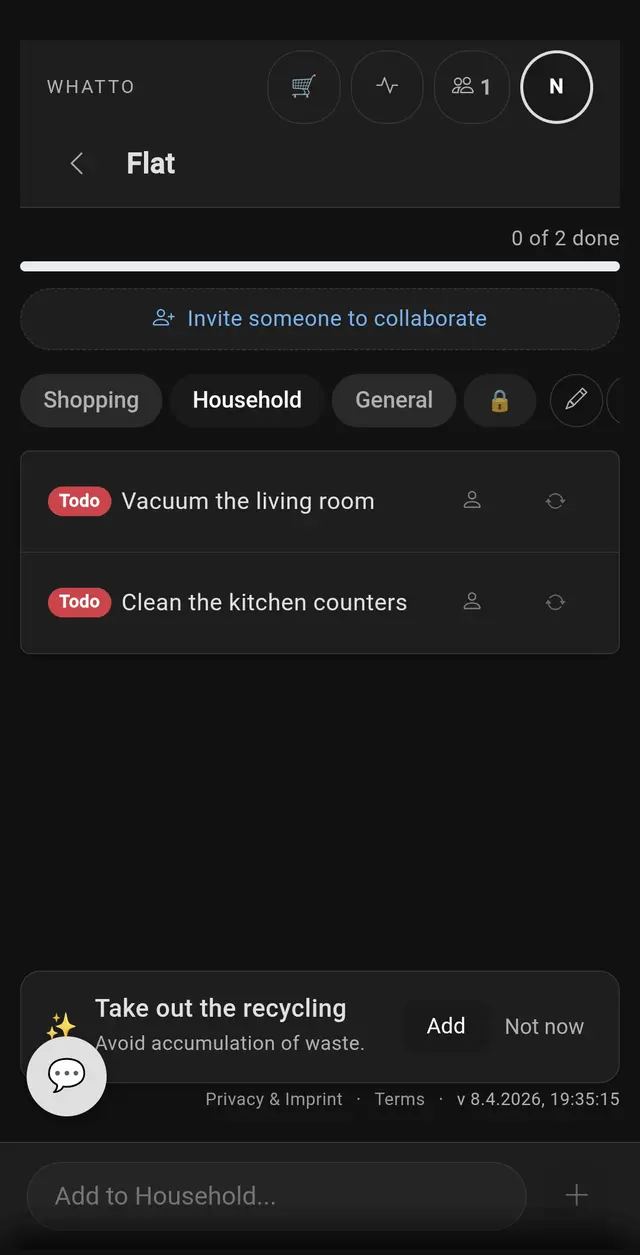
Cleaning task list for shared flat with vacuum the living room and clean the kitchen counters
Chores done together

Sound familiar?

The flat WhatsApp group has 300 unread messages. Somewhere in there is a shopping list from Tuesday, a passive-aggressive note about the bins, and a Venmo request nobody acknowledged.

You bought toilet paper three weeks in a row because “I thought someone else would get it”. Meanwhile your flatmate hasn’t bought any communal supplies since they moved in.

Cleaning “happens” but nobody can prove who actually did it. The bathroom smells and no one takes responsibility. The fridge rota fell off the door months ago.

WhatTo gives your flat a shared system that everyone actually uses — because adding to the list is faster than sending a WhatsApp message, and the fairness dashboard keeps everyone honest.

Shared shopping list with real-time sync

One list for the whole flat, always up to date. Add milk, check off bread, see what your flatmate just picked up at the shop. Store Mode lets everyone know you’re out shopping right now, so they can add last-minute items. No more “did you get my message?” moments. Full details on our shopping list page.

Cleaning schedule with chore rotation

Create recurring chores — vacuum the living room every 5 days, clean the bathroom weekly, take out the bins every 3 days. WhatTo tracks who did what with a weekly fairness dashboard, so the “I always clean more” argument ends with data. Explore more on our cleaning schedule page.

Expense splitting — who owes whom?

Scan a supermarket receipt and assign items to flatmates. WhatTo calculates running balances so you always know who’s ahead and who needs to pay up. Settle once a month or whenever suits you — no spreadsheets, no awkward conversations. See our receipt scanner for details.

Works when flatmates change

When someone moves out, settle the balance and remove them. When someone new moves in, share an invite link. WhatTo is designed for the reality of shared housing: people come and go, but the system keeps running.

HOW IT WORKS

How shared flat life works

Four steps to running a flat without group chats

01
Step 1
Create your flat room
Name a room for your flat — WG Berlin, Flat 4B. Takes 10 seconds, no app to download.
Web appNo download
02
Step 2
Invite your flatmates
Share the invite link via WhatsApp or show the QR. Everyone joins in seconds — no account needed.
QR codeLink invite
03
Step 3
Run the household together
Shopping, chores, expenses — all in one place, all in real time.
All-in-oneReal-time
04
Step 4
Settle expenses fairly
Scan receipts, split per item, track balances — no spreadsheets, no fights.
ReceiptsPer-item

Why not Splitwise, WhatsApp or a shared note?

Splitwise tracks money but doesn’t help with chores or shopping lists. WhatsApp buries everything in chat. Shared notes lack real-time sync between different people’s devices.

WhatTo combines all three in one app — shared shopping, chore rotation, expense splitting — with real-time sync, push notifications and a fairness dashboard. One tool instead of three workarounds. It works for your whole household, not just money.

Frequently Asked Questions

What is WhatTo?

WhatTo is an app for flatmates that combines shared shopping lists, cleaning schedules and expense splitting in one place. Everything syncs in real time across all housemates’ devices.

How many flatmates can join?

Up to 3 members per room on the Free plan. With the Family plan, up to 10 members per room — perfect for larger shared houses.

Can I split expenses with my flatmates?

Yes. Scan a receipt, assign items to flatmates, and WhatTo automatically calculates who owes whom. Balance tracking shows the running total so you can settle up at any time.

What happens when a flatmate moves out?

Settle any outstanding balances, then remove them from the room. Their contribution history is preserved. When a new flatmate moves in, just send them an invite link.

Is WhatTo free?

Yes. The free plan includes 2 rooms with up to 3 members each. New users get a 14-day Premium trial with unlimited rooms and expense splitting. Premium starts at €3.99/month.

Do all flatmates need to create an account?

No. Flatmates can join via invite link or QR code. They just need an email for Magic Link login or a Google account. No password required.

“We had three apps before WhatTo: one for shopping, one for chores, one for money. Now it’s all in one place.”— Flat 5C, Edinburgh
“New flatmate moved in, I sent a link, she was on the list in 10 seconds. No sign-up drama.”— Yuki, Amsterdam
“The fairness dashboard stopped the passive-aggressive notes about cleaning. Data beats opinions.”— Alex & Chris, Berlin

Discover more: Shopping List · Cleaning Schedule · Household · Receipt Scanner · Holiday