Never forget what to buy. WhatTo keeps your household shopping list in sync across all devices — so everyone knows what’s needed, even at the store. 14-day free trial included.
Start free — 14-day trialFree & no credit card needed. 14 days of Premium included.
You’re at the supermarket and text your partner: “Do we need milk?” No reply. You buy it anyway — and come home to find two cartons already in the fridge.
Your flatmate picks up groceries on the way home but doesn’t know about the three items you added to the WhatsApp group an hour ago. Nobody checks that chat anymore.
You keep a shared note, but half the household forgets to open it. Items get lost between messages, voice notes and sticky notes on the fridge.
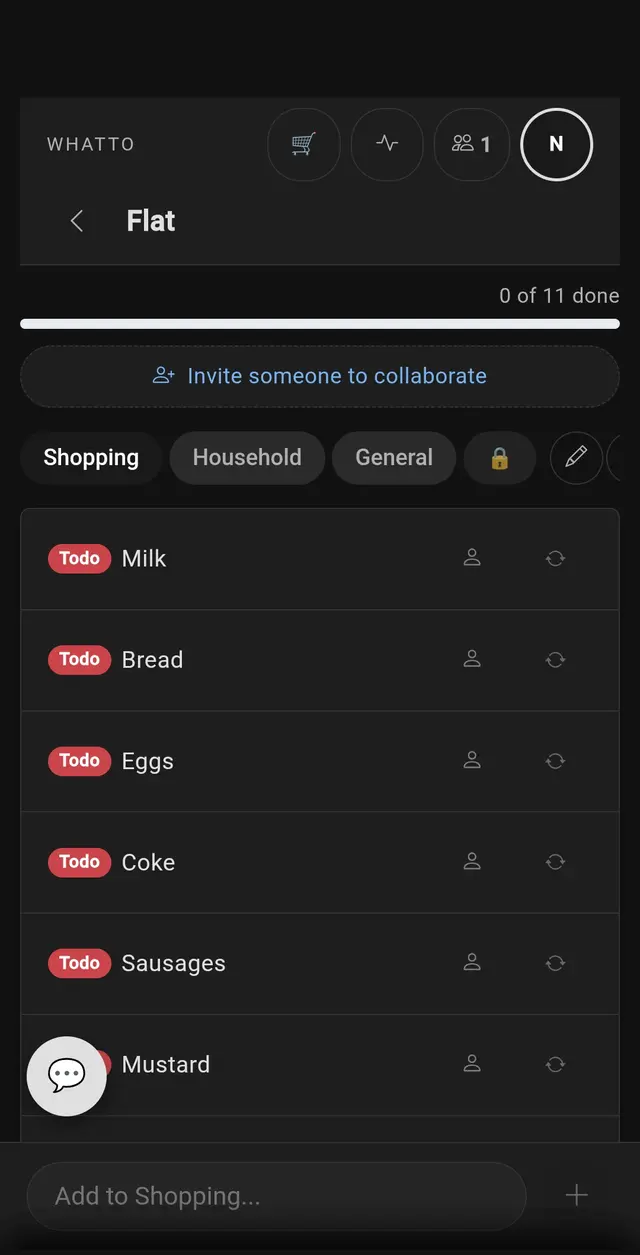
WhatTo replaces all of that with one shared list that updates instantly on everyone’s phone — whether you’re on the sofa or already in the shop.
Every item you add, check off or rearrange appears on all connected devices within a second. No refresh button, no “did you see my message?” — just a list that’s always up to date. WhatTo uses real-time sync so your partner sees changes the moment you make them, even on a slow mobile connection.
Tap the cart icon and everyone in your room gets notified that you’re at the store. They can add last-minute items — butter, bin bags, that one spice you always forget — and you’ll see them pop up on your screen instantly. No more “are you still at the shop?” texts. When you’re done, simply leave Store Mode and the list resets for next time.
WhatTo’s AI analyses your shopping patterns and suggests items you buy regularly. Forgot to add eggs? The suggestion card reminds you. Over time, the recommendations get smarter — so building your weekly list takes seconds instead of minutes. You can also use it in household planning beyond just groceries.
Organise your list by supermarket aisle, store or category. Create a section for fresh produce, one for the bakery and one for the chemist. When you’re in the shop, work through one section at a time instead of scrolling up and down a single long list.
Done shopping? Photograph your receipt and WhatTo’s AI extracts every item with its price automatically. Assign items to household members and see who owes whom — no spreadsheets needed. Perfect for flatmates splitting the weekly shop or couples tracking grocery spending. Learn more on our receipt scanner page.
Four steps to a synced household
Free · 14 days Premium · No credit card
WhatsApp groups work — until someone sends 40 messages and your shopping list disappears. Notes apps like Apple Reminders sync between your devices, but sharing with housemates means granting access to your entire account.
WhatTo is built for shared shopping. Everyone gets their own account, items sync in real time, Store Mode tells the group you’re at the shop, and the AI receipt scanner splits costs automatically. No workarounds, no screenshots of lists — just one place where everyone can see what’s needed.
Create a room, invite your partner or housemates via link or QR code, and add items together. Changes sync in real time across all devices. You can organise items into sections for different stores or categories.
Yes — 2 rooms and 2 sections per room are free forever. New users get a 14-day Premium trial with unlimited rooms and expense splitting. After that, Premium starts at €3.99/month.
Tap the cart icon to let everyone know you’re at the store. Your housemates can add last-minute items to the list and you’ll see them instantly. It replaces the “are you still at the shop?” texts.
Yes. WhatTo is a Progressive Web App (PWA) that runs in any modern browser. You can add it to your home screen on Android or iOS for a native-like experience with push notifications — no app store needed.
WhatTo analyses your shopping history and suggests items you regularly buy. Over time the suggestions get smarter, so you never forget the basics like milk, bread or bin bags.
Yes. Photograph your receipt and the AI extracts every item with its price. You can then assign items to household members and settle up fairly — no spreadsheets or mental maths needed.
“Store Mode alone replaced 5 text messages per shopping trip. We haven’t opened Apple Reminders since.”— Lisa & Tom, Munich
“When I’m at the store, Stefan can add things and I see them on my phone immediately. That’s the killer feature.”— Maria, Vienna
“Real-time sync means no more duplicate milk purchases. The AI suggestions actually learn what we need.”— Max, Berlin
Discover more: Cleaning Schedule · Household · Flatmates · Receipt Scanner · Holiday