Photograph the receipt, AI extracts every item and price. Split costs fairly with your household — no spreadsheets, no mental maths. 14-day free trial included.
Start free — 14-day trialFree & no credit card needed. 14 days of Premium included.
You paid for the weekly shop. Your flatmate covered dinner out. Someone bought cleaning supplies. Now nobody remembers who owes what, and you end up absorbing costs or sending awkward messages.
You tried keeping a shared spreadsheet to track expenses, but entering every item by hand takes longer than the actual shopping. After a week, nobody updates it.
At the end of a group holiday, everyone pulls out a pile of crumpled receipts and tries to figure out the maths. It takes an hour and still feels unfair.
WhatTo’s receipt scanner does the hard part for you: photograph the bill, the AI extracts every item, assign them to people, done. Running balances mean you always know where you stand.
Point your phone camera at any receipt — supermarket, restaurant, pharmacy, hardware store. The AI extracts the merchant name, date, every line item with its price, and the total. No typing, no manual entry. You can review and correct any item before saving, but most of the time the AI gets it right first try.
After scanning, assign individual items to the people who should share the cost. Your flatmate’s fancy cheese? That’s theirs alone. The shared toilet paper? Split three ways. WhatTo calculates each person’s balance automatically. Perfect for flatmates or couples with mixed budgets.
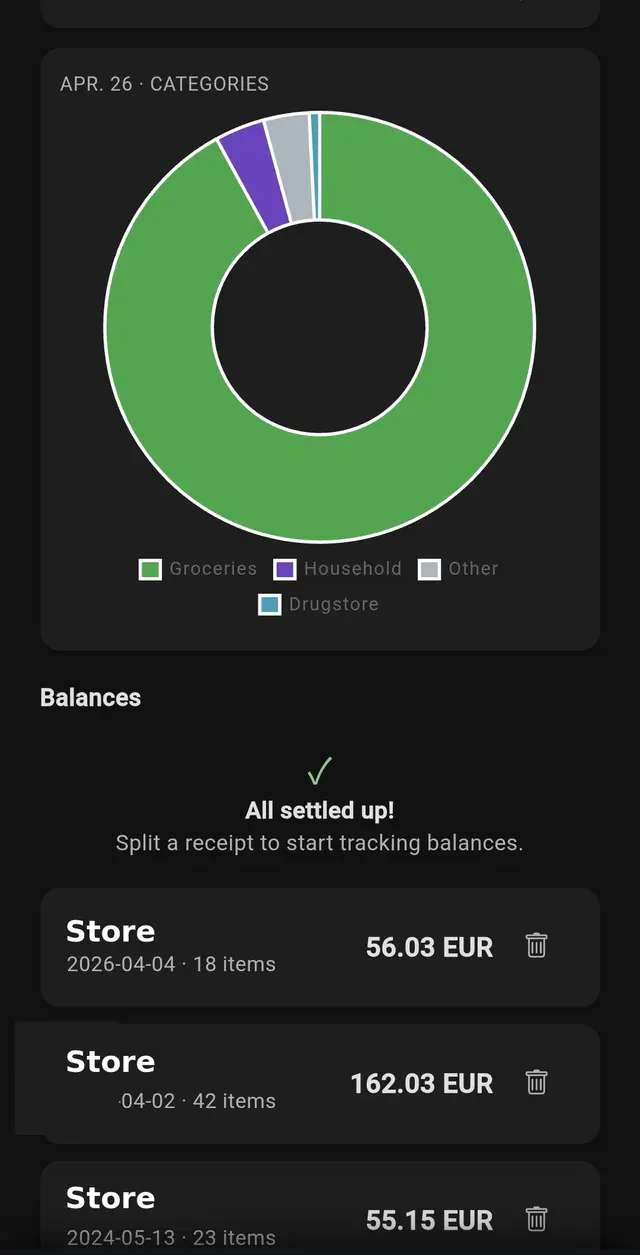
WhatTo categorises your scanned items automatically and builds visual spending charts over time. See how much your household spends on groceries, dining out, household supplies or other categories. Compare month to month and spot trends before they become problems.
Every scanned receipt feeds into a running “who owes whom” balance. Settle up whenever it suits you — weekly, monthly or when the total gets too high. No need to remember individual transactions; WhatTo does the bookkeeping across your whole household.
From shoebox to settled in four steps
Free · 14 days Premium · No credit card
Splitwise requires manual entry for every item. Spreadsheets need constant maintenance. Both track money but don’t help you with shopping lists, chores or household coordination.
WhatTo scans the receipt for you — AI extracts every line item automatically. Plus it’s part of a full household management app, so your shopping list, cleaning schedule and expenses all live in one place.
Take a photo of your receipt with your phone camera. The AI automatically extracts the merchant, date, every item with its price, and the total. It works with any store and currency.
Yes. After scanning, assign individual items to household members. WhatTo calculates who owes whom and tracks running balances so you can settle up at any time.
3 scans per month on the Free plan. Unlimited with Premium. New users get a 14-day Premium trial with unlimited scanning included.
Yes. The AI handles supermarket receipts, restaurant bills, pharmacy receipts and more. It recognises items, prices and totals regardless of format or language.
Yes. WhatTo categorises scanned items automatically and shows monthly spending charts with category breakdowns. You can compare months and track where your household budget goes.
Yes. Receipt images are processed securely and stored on European servers (Frankfurt). Your data is never sold to third parties. WhatTo is fully GDPR compliant.
“Receipt scanning is magic. Photograph the bill, tap split, done. No more mental maths after dinner.”— Laura, Dublin
“We used to argue about who paid for what. Now we just scan the receipt and WhatTo handles the rest.”— Flat 3A, Munich
“The monthly spending charts opened our eyes. We had no idea how much we were spending on takeaways.”— Jens & Katrin, Cologne
Discover more: Shopping List · Cleaning Schedule · Household · Flatmates · Holiday